Expand Video Beyond the Frame
AI fills in what the camera never captured. Turn 9:16 into 16:9, vertical into widescreen — no cropping, no black bars, any direction.
Looking to make your video longer, not wider? Extend your video's duration with AI at extend.video
Opens extend.video. Sign in with Google there — same tool, pay per video.
Export for TikTok · Instagram Reels · YouTube · YouTube Shorts · LinkedIn · X/Twitter
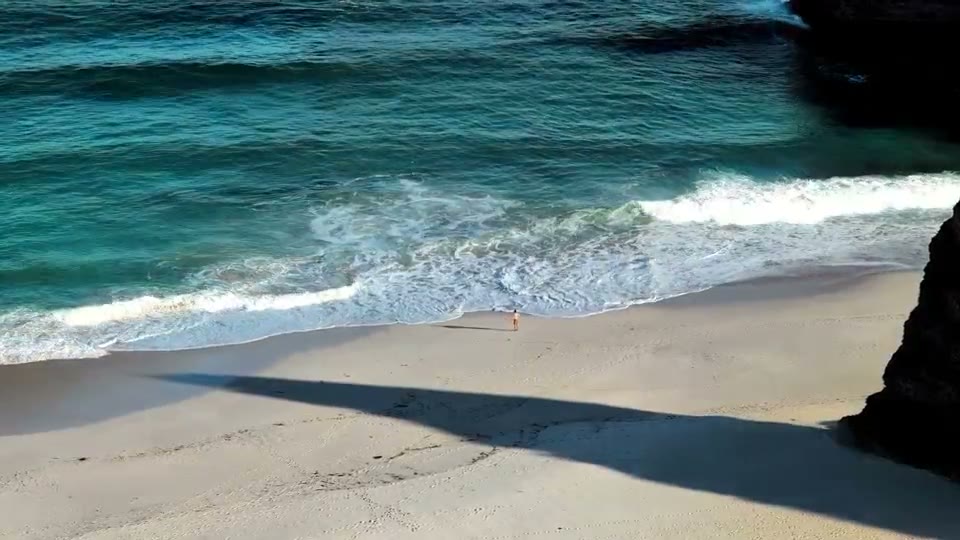
Works best on scenery, nature and motion. Faces and hands are still hard for every AI — see real examples.
Creators Can't Wait to Expand Their Videos with AI
Real numbers from our pre-launch waitlist — no ads, just people looking to expand video beyond the frame
357
creators on the waitlist
All organic — people searching for exactly this and signing up.
20+
new creators every week
The waitlist keeps accelerating, with zero ads.
Zero
subscription required
Pay per video with credits. Expand one clip today or ten next month — no monthly plan to remember to cancel.
Who Uses AI to Expand Videos
Whether you're posting Reels or cutting a feature, expand video with AI to fit any frame
Content Creators
Repurpose vertical TikToks and Reels for YouTube — convert 9:16 to 16:9 without cropping a single pixel
Marketers
Run one clip everywhere — expand video to fit every platform's aspect ratio instead of reshooting
Educators
Turn phone-shot lessons into widescreen videos that fill the screen — no letterboxing, no black bars
Filmmakers
Widen shots for a cinematic look — AI paints the scenery beyond the edges of the original frame
How to Expand Video with AI
Three simple steps to change your video's aspect ratio with AI
Upload & Pick a Ratio
Drop in any clip and choose your target aspect ratio — 9:16, 16:9, or anything in between
MP4, MOV, WebM supportedAI Generates the Missing Sides
The AI studies your scene — lighting, colors, motion — and paints new pixels beyond the original frame
Outpainting in any directionDownload the Expanded Video
Get your video in its new aspect ratio — no cropping, no black bars, no visible seams
HD outputAI Video Expansion Examples
Real aspect ratio conversions, straight out of the pipeline — including the parts that don't work yet
AI Video Expansion Features
Everything you need to expand video with AI — any direction, any aspect ratio
Expand in Any Direction
Grow the frame left, right, top, or bottom — or all four sides at once
Convert 9:16 to 16:9
Switch between vertical, square, widescreen, and cinematic — in either direction
No Cropping, No Black Bars
Every pixel of your original footage stays untouched — nothing cut, stretched, or letterboxed
Matches Lighting & Colors
Generated pixels blend with your footage's colors, lighting, and grain — no visible seams
Sharp HD Output
Crisp HD expansion that blends seamlessly with your footage — upload any resolution, including 4K
Browser-Based, in Minutes
No install, no editing suite — upload in your browser and download your expanded video in minutes
Frequently Asked Questions
Everything you need to know about AI video expansion and aspect ratio conversion
Start Expanding Videos with AI
The tool is live. Sign in with Google on extend.video and expand any aspect ratio — no cropping, no black bars.
Opens extend.video. Sign in with Google there — same tool, pay per video.